01 / SELECT
Bring the whole video.
Import long videos and multiple clips. Set In and Out with timecodes or the I and O keys. The 30-second limit applies to your finished selection.
 GIPHABYTE STUDIO
VIDEO / GIF / MAC
Turn your videos into animated GIFs. Pick the moments, arrange the clips, add a caption and make the loop yours.
Everything happens on your Mac. No account. No subscription. No upload.
Explore the workflow01 / SELECT
Import long videos and multiple clips. Set In and Out with timecodes or the I and O keys. The 30-second limit applies to your finished selection.
02 / COMPOSE
Trim and reorder clips, choose Fit or Fill, and add a text layer. Final Comp previews your selected sequence and caption, up to 30 seconds.
03 / EXPORT
Choose resolution, frame rate, colours and dithering. Set a file-size target or keep your chosen settings. Preview the actual GIF before saving.
Native Mac controls, a clear source editor and a preview of your composition. Exported GIF shows the encoded result.
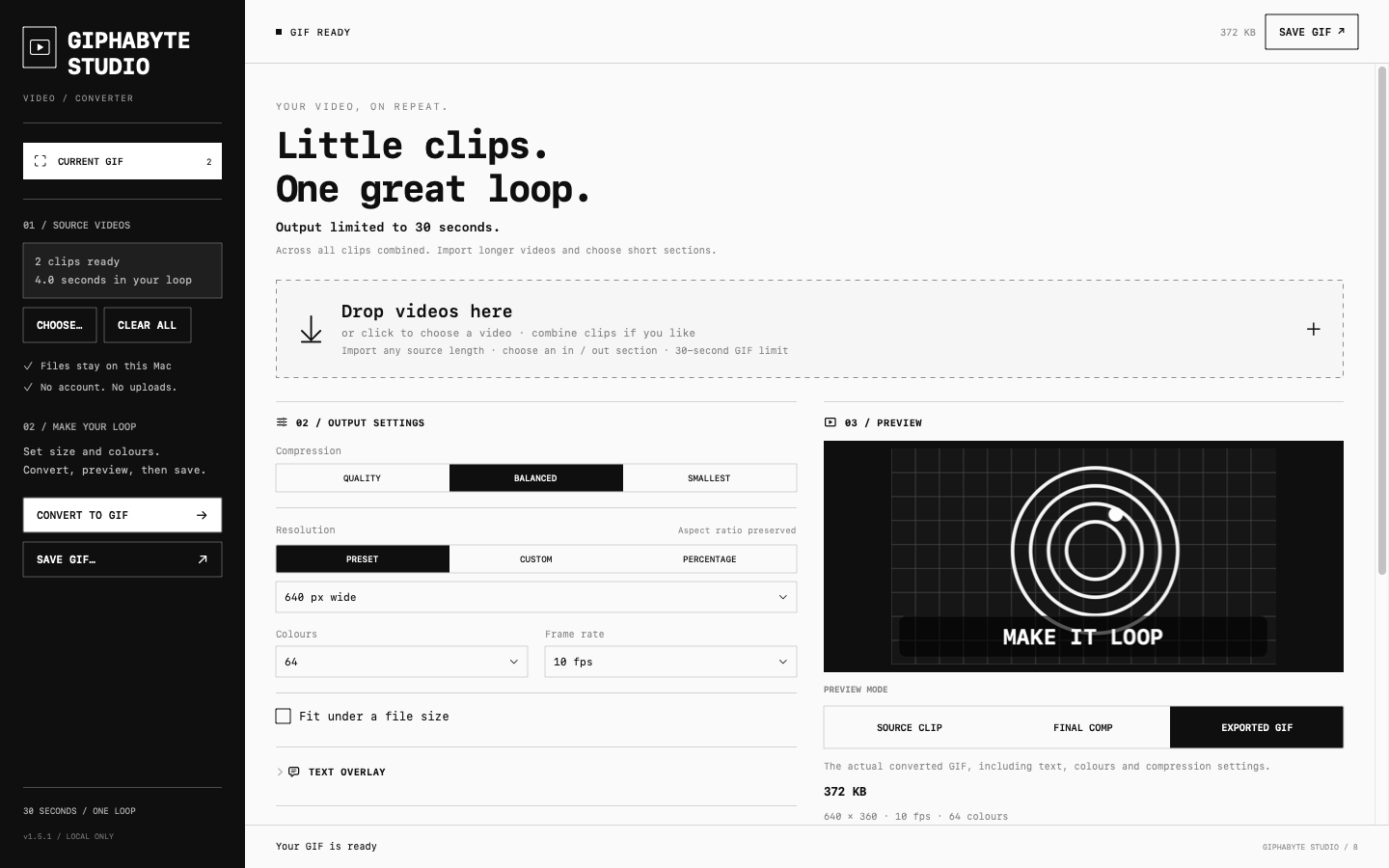
Use quality presets or choose your own settings. File-size fitting measures the encoded GIF and adjusts detail where needed. If a target cannot be reached, the app tells you.
Need another pass? Dump GIF / Change settings keeps your clips, order, markers and settings. Clear all starts a new project.
Read the guide